SMM Panel Order Status Explained: What Each Stage Means
Articles are shown in their original language.
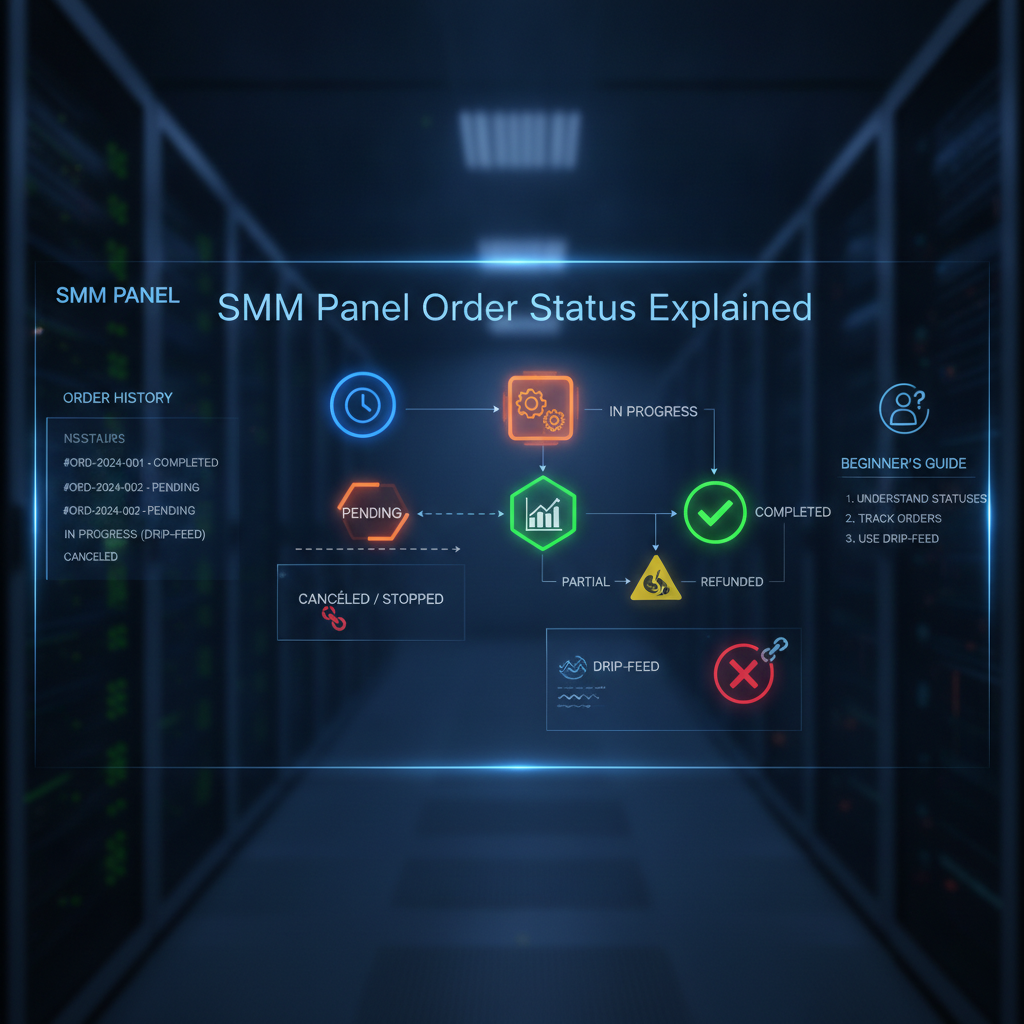
SMM Panel Order Status Explained: What Each Stage Means
You placed an order on an SMM panel, and now you're staring at a status you don't recognize. Pending. Processing. Partial. Completed. Each one means something different, and knowing the difference can save you from panic, wasted time, and even lost money.
Here's the reality: most first-time buyers on an affordable SMM panel have no idea what the order statuses actually mean. They see "pending" and assume something is broken. They see "partial" and think they got scammed. Neither is true — once you understand how order statuses work, the whole process becomes clear. Let's break down every SMM panel order status, what it means, and exactly what you should do at each stage.
Why Order Statuses Matter on an SMM Panel
An SMM panel is essentially a service routing system. It sits between you and the upstream providers that actually deliver followers, likes, views, and other engagement. Every time you place an order, the panel's system tracks it through a lifecycle of statuses so you always know where things stand.
Understanding this lifecycle matters because it helps you:
- Know when to wait versus when to contact support
- Spot service quality issues before they become bigger problems
- Manage expectations for your own clients if you're running an agency or reseller business
- Make smarter choices about which services and providers to use again
When you use a transparent panel like Panel.rip with over 21,000 processed orders across 380+ services, you'll see these same statuses on every single order. The system is designed to keep you informed at every step.
The Complete SMM Panel Order Status Breakdown
Most reputable SMM panels use six standard statuses. Here's what each one means in plain language.
1. Pending
Pending means your order has been received and is in the queue. The system has logged your request, but delivery hasn't started yet. This is completely normal and usually lasts from a few seconds to a few minutes depending on the panel's queue and the upstream provider's availability.
What to do: Wait. If your order stays pending for longer than expected (check the panel's published delivery time for the specific service), then it might be worth reaching out to support.
2. Processing
Processing means the order has been picked up and is actively being set up for delivery. The panel has started routing your request to the upstream service, and you should see progress soon.
This stage is where the magic happens behind the scenes — the system validates your link, checks the service parameters, and pushes the order through the delivery pipeline.
3. In Progress
In Progress means delivery has actually started. The engagement is actively being delivered to your profile or content. For some services this means followers appearing gradually, for views it means the count climbing, for likes it means reactions showing up on your post.
The length of this stage depends on the delivery speed of the service you ordered. Instant services finish fast. Drip-feed services deliberately spread delivery over hours or days. Neither is wrong — it just depends on what you chose.
4. Completed
Completed is the green light. The full quantity you ordered has been delivered. Nothing more needs to happen — unless you want to order again.
If the service you ordered includes a refill guarantee, a completed status also means the refill window is now active. If any delivered followers or likes drop after completion, the refill process should replace them automatically.
5. Partial
Partial means the system could only deliver part of your order. For example, you order 1,000 followers but only 800 could be delivered due to service limits, platform restrictions on your account, or provider availability issues.
Here's the good news: most reputable panels automatically refund the undelivered portion back to your balance. You only pay for what was actually delivered. So if you ordered 1,000 but only 800 arrived, roughly 20% of the cost goes back to your account.
What to do: Check if the refund was processed. If not, contact support with your order ID. Also, review whether there's a pattern — if the same service keeps going partial, it might be worth switching to a different option.
6. Canceled
Canceled means the order did not proceed and will not be delivered. This can happen for a few reasons:
- The link you provided was invalid or inaccessible
- The service was unavailable at the time of ordering
- The order violated the panel's terms or platform restrictions
- You requested cancellation before delivery started
If your order is canceled, the funds should return to your balance automatically. A canceled order is not lost money — it's usually a signal to check your link and try again.
How to Check Your Order Status on Any SMM Panel
Every SMM panel has an order history section, usually called "Orders," "Order History," or "History." Log in to your account, navigate there, and you'll see a table with your order ID, the service name, quantity, date/time, and current status.
Most panels also send email notifications when an order changes status. If yours does, make sure your email address is verified on the account so you never miss an update.
Practical Checklist: What to Do at Each Status
- Pending: Wait 5–10 minutes. Nothing is wrong.
- Processing: Hold tight. The system is setting up delivery.
- In Progress: Check your profile to confirm engagement is appearing. Don't order more yet.
- Completed: Verify the full quantity arrived. Review whether you want to reorder or try a different service.
- Partial: Confirm the refund hit your balance. If not, contact support with your order ID.
- Canceled: Review the reason. Check your link, correct any issues, and submit a new order.
Mistakes to Avoid When Tracking SMM Order Statuses
Over the years we've seen the same mistakes destroy good SMM panel experiences. Here are the ones to avoid.
Panicking During Pending or Processing
Pending and processing are normal. They're not failures. New users often open a support ticket or panic post asking why their order is stuck — only to have it complete minutes later. Wait out the expected delivery time before raising any concerns.
Ordering Double Because You Thought It Failed
If your order seems slow, resist the urge to place a second order on top of it. You'll end up with double the followers, likes, or views — which looks unnatural and can actually trigger platform flags. Check the status first, then decide.
Ignoring Partial Orders
A partial status doesn't mean you got scammed. It means a portion couldn't be delivered. Confirm your refund. If the panel doesn't auto-refund partial orders, that's a red flag about the service. Good panels build partial refunds in by default.
Not Checking the Service Notes Before Ordering
Every SMM service listing should have notes — things like "requires public profile," "drip delivery over 24 hours," "no refill," or "minimum order 100." Skipping these notes leads to canceled or partial orders. Read them first and save yourself the headache.
Using the Wrong Link Formats
Platforms are picky about links. TikTok needs the full video URL, Instagram needs the post URL (not just the profile), and YouTube needs the full video ID. A malformed link is one of the most common reasons orders get canceled.
How Order Statuses Help You Judge Service Quality
Your order history is more than just a record — it's a quality check. Over time you can learn which services on a panel perform best for you.
If a specific service always completes quickly with zero drops, that's a reliable option to use again. If another service repeatedly goes partial or comes back with heavy drops, mark it as inconsistent and try a different listing. This is exactly the kind of data you want to track to avoid drop rates eating into your results.
For agencies and resellers, sharing clean order statuses with your own clients builds trust. When you can show a client that their order moved through processing to completed on schedule, they'll trust you more — and they're far more likely to rebook.
FAQ: SMM Panel Order Statuses
What does pending mean on an SMM panel?
Pending means your order has been received but has not started delivering yet. It's in the queue. For most services, this status lasts only minutes.
Why is my SMM order stuck on processing?
Processing means the system is setting up your delivery. If it stays in processing longer than the service's listed delivery time, check the service notes and contact support with your order ID.
What happens when an order is partial?
Partial means only part of your order was delivered. Good panels automatically refund the undelivered portion back to your balance, so you only pay for what you received.
Can I cancel an SMM panel order after it goes to processing?
Usually not. Once an order moves beyond pending, delivery is actively happening and most panels can't stop it. Some panels allow cancellation requests, but they typically can't guarantee it will be accepted once processing has started.
How do I know if my order was completed successfully?
When the status changes to Completed, the full quantity has been delivered. Log into your platform account and verify the numbers yourself. If you spot a discrepancy, contact the panel immediately with your order ID.
Take the Confusion Out of Your Next SMM Order
Now that you understand what every status means, you can order with confidence. The key is choosing a panel that keeps its status system transparent and handles partial orders fairly with automatic refunds.
That's exactly how Panel.rip operates. With over 5,000 active clients, 380+ services across major platforms, and a straightforward order system that keeps you informed from pending to completed, it's built to remove the guesswork. Create a free account and explore the service catalog for whatever platform you're trying to grow — Instagram, TikTok, YouTube, X, Telegram, or Twitch.
Final Thoughts
Understanding SMM panel order statuses is one of the simplest things you can do to improve your experience with social media growth services. Pending isn't a problem. Partial isn't a scam. Canceled isn't lost money. Every status has a purpose, and now you know exactly what each one means.
The next time you place an order on an SMM panel — whether for your own profile, a client account, or a reseller business — you'll know exactly what to expect, how to react, and when to take action. That's the kind of clarity that makes SMM panel order status tracking feel effortless.
